

Last Updated: October 24, 2026
Quick Summary
To clean battery terminals, disconnect the negative cable first, then the positive, and apply a baking soda and warm water paste to neutralize the acid. Scrub the posts and clamps with a wire brush, rinse carefully, dry completely, then reconnect positive first and negative last.
- Always disconnect the negative terminal first and reconnect it last to avoid sparks.
- Baking soda neutralizes acid on contact and will fizz where it meets corrosion.
- Dry all parts completely before reconnecting, since trapped moisture invites corrosion back.
- Coat posts and clamps with petroleum jelly or terminal protectant after cleaning.
- Corrosion returning within weeks points to a loose clamp, leaking case, or failing alternator.
Table of Contents
- What Causes Corroded Battery Terminals (and Why It Matters)
- Tools and Safety Gear to Gather Before You Start
- How to Disconnect Car Battery Terminals Safely
- How to Clean Battery Terminals With Baking Soda
- Can WD-40 Clean Battery Terminals?
- How to Prevent Battery Terminal Corrosion
- When to Stop Cleaning and Call Neptune Towing
- Frequently Asked Questions
What Causes Corroded Battery Terminals (and Why It Matters)
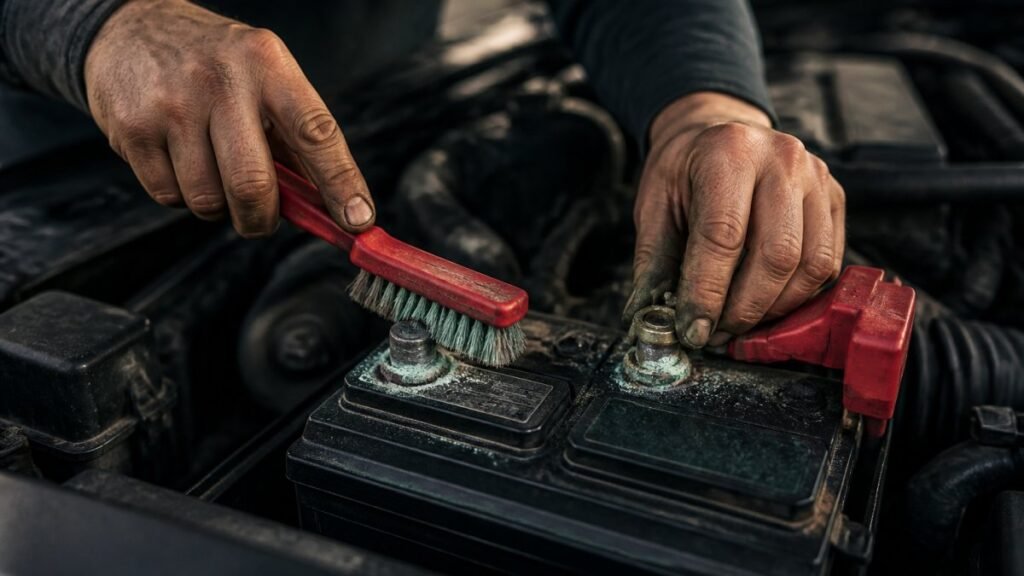
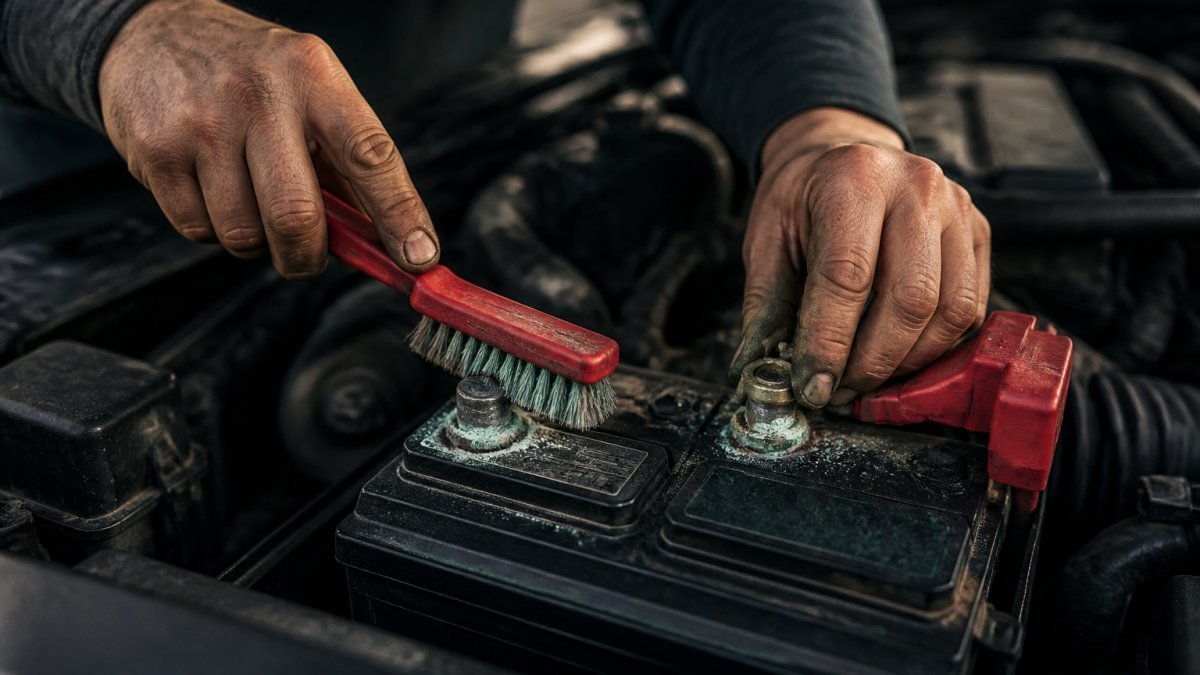
That fuzzy blue-green crust on your battery isn’t just ugly. It’s a sign that the connection between your battery and your car is slowly failing.
Here’s the part most drivers miss: corrosion usually starts small and spreads. A little powder today becomes a no-start condition later.
Common causes include:
- Age. Older batteries vent more gas as the seals weaken.
- Overcharging. A failing alternator pushes too much voltage and speeds up gassing.
- Loose connections. A clamp that doesn’t sit tight lets acid creep between the post and cable.
- Heat. Oklahoma summers cook batteries and shorten their life.
- Leaking cases. A cracked battery case lets acid reach the terminals directly.
Why does it matter? Corroded terminals raise resistance. Your starter has to work harder, your lights may dim, and eventually the car won’t crank at all.
Tools and Safety Gear to Gather Before You Start
Battery acid is the real hazard here, so gear up before you touch anything. You don’t need a full shop, but you do need the basics.
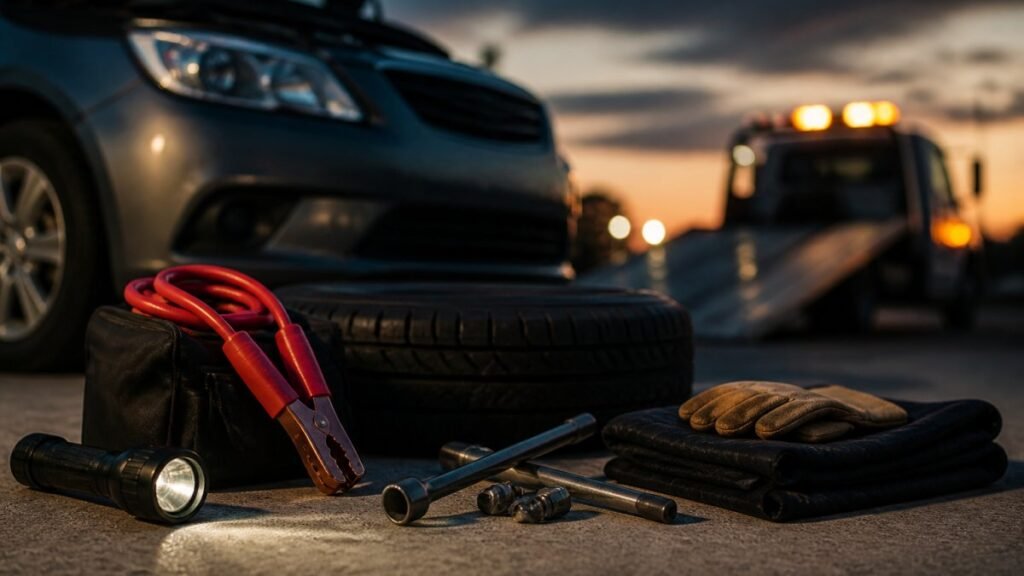
Gather these items:
- Safety glasses. Acid splash is the number one risk.
- Protective gloves. Nitrile or rubber, not thin disposable gloves.
- A wire brush or battery terminal brush. A dedicated terminal brush cleans both posts and clamps.
- Baking soda. The go-to neutralizer for acid residue.
- Warm water and a small cup or spray bottle.
A few safety rules before you begin:
- Work outside or in a well-ventilated garage. Batteries vent hydrogen gas, which is flammable.
- Keep sparks, cigarettes, and open flames away from the battery.
- Never lean over the battery while working.
- Check for cracks or leaks first. A leaking battery needs replacement, not cleaning.
Watch out: if you see wet, oily residue around the case or smell rotten eggs, stop. That points to a cracked case or an overcharging battery, and cleaning won’t fix either one.
How to Disconnect Car Battery Terminals Safely
Disconnecting in the wrong order can cause a spark, and a spark near a venting battery is bad news.
Always disconnect the negative terminal first, then the positive. The negative cable is the ground.
Here’s the safe order:
- Turn the car off and remove the key.
- Loosen the negative clamp with your wrench and lift the cable off the post. Tuck it aside so it can’t spring back.
- Loosen the positive clamp and remove it the same way.
- Inspect both clamps and posts for cracks, stripped bolts, or heavy corrosion.
When you reconnect, reverse the order: positive first, negative last. Tighten each clamp until it won’t twist by hand, but don’t overtighten and strip the bolt.
If the clamps are frozen or the bolts are rounded off, don’t force them. For a full walkthrough on getting the car running again afterward, our guide on how to jump start a car properly covers the safe sequence.
How to Clean Battery Terminals With Baking Soda
Baking soda is the workhorse here. It neutralizes battery acid on contact, and it’s safe for the metal parts when you use it correctly.
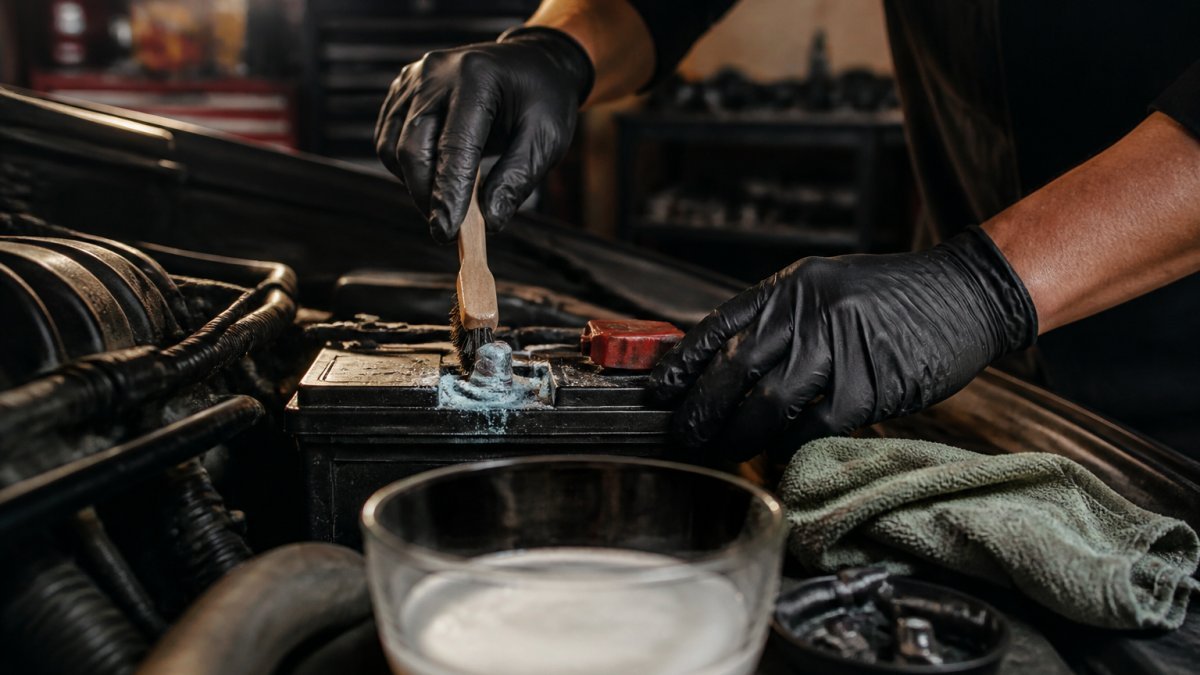
Mix a small amount of baking soda with warm water to form a paste or a light solution. Then work through these steps in order:
- Disconnect the negative cable first, then the positive. The negative cable is the ground, so removing it first cuts the circuit and keeps your wrench from arcing against the frame if it slips. Reconnect in reverse when you’re finished: positive first, negative last. If you skip this order, a stray spark near a venting battery is a real hazard.
- Apply the paste to the terminals and clamps. Let it sit for a minute. It will fizz where it meets acid, that fizzing is the neutralization working.
- Scrub with the wire brush. Work the brush into the post and the inside of each clamp. A dedicated terminal brush cleans both surfaces at once; an old toothbrush reaches the tight spots around the clamp bolt.
- Wipe away the residue with a rag. Don’t let the paste dry back onto the metal.
- Rinse carefully with plain water, keeping runoff away from the battery top and any electronics. A spray bottle gives you more control than a cup.
- Dry everything completely before reconnecting. Moisture trapped under a clamp invites corrosion right back.
- Reconnect positive first, then negative, and tighten each clamp until it won’t twist by hand, but don’t overtighten and strip the bolt.
One caution from AAA’s battery care guidance: don’t flood the battery with the baking soda mixture.
Stubborn blue-green spots may need a second pass. If the corrosion has eaten into the metal, the clamp itself may need replacing.
After you reconnect, do a quick post-cleaning check: try to twist each clamp by hand (it shouldn’t move), confirm the cables aren’t crossed, and start the car once. If it cranks strong, the connection is good. If it’s still sluggish, the problem is deeper than surface corrosion.
Battery residue is acidic and the rags and runoff are contaminated. Don’t toss them in with regular trash or wash them down a storm drain. Bag the rags, and dispose of them and any leftover solution through your local household hazardous waste program.
Baking soda neutralizes; the brush removes; the reconnect order protects you. Do all three in sequence and you’ve matched what a shop does for a routine terminal cleaning.
If the clamps are frozen or the bolts are rounded off, don’t force them.
Can WD-40 Clean Battery Terminals?
WD-40 can help, but it’s not a cleaner in the way baking soda is. It’s better as a protectant and a light solvent.
Here’s the honest breakdown:
- WD-40 does loosen light grime and can help free a stuck clamp.
- It does not neutralize acid. Baking soda does that job.
- It works well as a finishing coat to help keep moisture and acid vapor off the metal.
So the practical order is: clean with baking soda, dry, then apply a light coat of WD-40 or petroleum jelly to the posts and clamps.
Skip the urge to spray WD-40 on a heavily corroded terminal and call it done. The crust will stay, and the resistance stays with it.
How to Prevent Battery Terminal Corrosion
Once the terminals are clean, a few habits keep the crust from coming back. But the more useful question is why it came back at all. Corrosion that returns within weeks of a cleaning is telling you something, and the fix depends on the cause.
Start with the prevention basics:
- Coat the posts and clamps with petroleum jelly or a terminal protectant after cleaning. A thin barrier keeps moisture and acid vapor off the metal.
- Check clamp tightness every few months. A loose clamp lets acid creep between the post and cable, which is one of the most common reasons corrosion comes back.
- Keep the battery top dry and clean. Wipe up any spills or residue before it dries into crust.
- Have the charging system checked if corrosion keeps returning. An overcharging alternator pushes too much voltage and speeds up gassing.
- Replace old batteries on schedule. Most last three to five years, and heat shortens that (Car Battery Maintenance: A Comprehensive Guide).
Now the diagnostic part. When corrosion keeps coming back, match the pattern to the likely cause:
- Buildup on one terminal only, clamp slightly loose. A loose connection is the usual culprit. Clean it, tighten the clamp properly, and recheck in a few weeks.
- Buildup on both terminals, battery top wet or oily. That points to a leaking case or an overcharging battery. Cleaning won’t fix either one, the battery or the charging system needs attention.
- Buildup plus a swollen or cracked case. Stop cleaning and plan on a replacement. A swollen case is a sign of internal failure.
- Buildup plus dim lights or slow cranking. The corrosion may already have damaged the connection or the battery. Have the battery and charging system tested.
Cleaning is the right move for surface corrosion on healthy hardware. It’s the wrong move when the corrosion is a symptom of a loose clamp, a leaking case, or a failing alternator. Match the pattern to the cause before you reach for the baking soda again.
When to replace rather than clean:
- The terminal or clamp is badly eaten away or crumbles when you scrub it. Replace the clamp or cable end.
- The battery case is cracked, swollen, or leaking. Replace the battery.
- The battery is near or past its expected service life and corrosion keeps returning. A new battery is the cheaper long-term call.
- The charging system tests bad. Fix the alternator or regulator first, or the new battery will corrode the same way.
If corrosion comes back within weeks of a cleaning, that’s a signal. Our breakdown of what causes dead car batteries walks through the underlying issues so you can spot them early.
When to Stop Cleaning and Call Neptune Towing
Cleaning solves a dirty connection. It doesn’t solve a dead battery, a bad alternator, or a clamp that crumbled in your hand.
Stop and call for help if:
- The car still won’t start after a clean, tight connection.
- The battery case is cracked, swollen, or leaking.
- The terminals or clamps are badly eaten away.
- You smell rotten eggs or see smoke.
- You’re stuck somewhere unsafe, like a shoulder on I-44 or a lot off Memorial.
That’s where we come in. At Neptune Towing, we run jump start service and roadside assistance across Tulsa, Jenks, Bixby, Broken Arrow, and the surrounding communities.
If cleaning didn’t do the trick, our guide on handling car battery failure explains your next steps. Find a tow truck near you in Tulsa and we’ll get someone headed your way.
Frequently Asked Questions
Should I disconnect the negative or positive battery terminal first?
Always disconnect the negative terminal first, then the positive. The negative cable connects to the vehicle’s metal frame, so removing it first cuts the ground path and prevents a wrench from sparking if it touches metal. When reconnecting, reverse the order: positive first, then negative. This sequence is the single most important safety step when you clean battery terminals, and it takes less than a minute to do correctly.
Will cleaning the terminals fix a car that won’t start?
Sometimes, yes. Heavy corrosion buildup blocks current flow and can cause slow cranking or a no-start even when the battery is healthy. Clean the terminals, tighten the clamps, and try again. If the engine still won’t turn over, the battery may be drained or failing, and a jump start service can get you moving while you sort out a replacement. In the Tulsa area, Neptune Towing provides jump starts and can tow the vehicle to a shop if needed.
Why does corrosion keep coming back after I clean it?
Returning corrosion usually points to a loose terminal clamp, a worn or cracked battery case, or acid seeping past the post seal. A loose connection lets tiny arcs produce gas that eats into the metal. Clean the terminals, tighten the clamps firmly, and apply a protective coating made for battery posts. If white powder or blue-green residue reappears within weeks, have the battery and cables checked, because the battery may be leaking or near the end of its life.
Can I use WD-40 to clean corroded battery terminals?
WD-40 can loosen light corrosion and displace moisture, but it is not a cleaner or neutralizer. It won’t dissolve the hardened white or blue-green residue the way a baking soda solution does. Use baking soda and water for the cleaning step, rinse and dry thoroughly, then a light coat of WD-40 or a dedicated terminal protector can help slow new corrosion. Keep sprays away from sparks and never spray near an open flame.
A dead battery on a hot Tulsa afternoon or a cold morning in Broken Arrow is stressful, but you don’t have to sort it out alone. Neptune Towing offers 24/7 emergency service, transparent pricing with no surprise charges, and damage-free towing for everything from daily drivers to Teslas and classic cars. Call (539) 292 3074 and get started with Neptune Towing to get you and your vehicle home safe.