

Table of Contents
- What Tesla Transport Mode Is and When You Need It
- Step 1: Park Your Tesla and Ensure You’re in Park
- Step 2: Access Controls and Navigate to Service
- Step 3: Find and Select the Towing Menu
- Step 4: Enable Transport Mode from the Touchscreen
- Step 5: Secure Your Vehicle Before Loading
- How to Get Tesla Out of Transport Mode and Common Issues
- Why Tesla Tow Mode Matters for Safe Flatbed Transport
- Frequently Asked Questions
Last Updated: October 10, 2026
What Tesla Transport Mode Is and When You Need It
Understanding the 7 steps to put Tesla in transport mode is essential because transport mode is a special setting that prepares your electric vehicle for safe flatbed towing. When you activate transport mode, it unlocks the drivetrain and allows your Tesla to roll freely onto a flatbed truck without engine power. This is critical for electric vehicles because their regenerative braking system and battery management work differently than traditional cars.
Transport mode disables the parking brake and allows the wheels to turn freely, exactly what you need when a flatbed tow truck is loading your vehicle.
You’ll need transport mode in these situations:
- Your Tesla breaks down and needs flatbed transport to a repair facility
- You’re moving your vehicle across long distances using a professional towing service
- Your battery is dead and the vehicle won’t power on normally
- You’re transporting a disabled or damaged Tesla safely without risking drivetrain damage
At Neptune Towing, we work with Tesla owners regularly and understand why this mode matters. Unlike traditional tow trucks that hook to a vehicle’s frame, flatbed towing requires your Tesla to roll freely onto the bed. Transport mode makes that possible.
The biggest mistake drivers make is trying to tow a Tesla in Neutral or assuming the car will behave like a gas-powered vehicle. It won’t. Transport mode is specifically designed for electric vehicles and their unique powertrains. If you skip this step, you risk serious drivetrain damage that can cost thousands of dollars to repair.
Step 1: Park Your Tesla and Ensure You’re in Park
Park your Tesla on a safe, level surface away from traffic. If you’re stranded on a highway like I-44 near Tulsa, pull as far to the shoulder as possible. Turn off the vehicle completely and wait a few seconds for the system to shut down fully.
Make sure the gear selector shows Park. The vehicle needs to be completely stationary before you move forward. If your Tesla is in an unsafe location, call Neptune Towing first, we can help you get the vehicle to a safe spot before attempting transport mode setup.
Check that the parking brake is engaged, you should see a confirmation on the touchscreen. This safety step keeps the vehicle locked in place while you’re preparing it for transport.
Step 2: Access Controls and Navigate to Service
Touch the Controls icon on your Tesla’s main touchscreen (typically in the lower-left corner). The Controls menu opens a list of vehicle systems and settings.
Look for the Service option in the Controls menu. Service contains diagnostic tools and special modes designed for maintenance and transport situations.
Once you’ve found Service, tap it to access options related to vehicle maintenance and special functions.
Menu paths vary by model year and software version:
- Model 3, Y, S, and X (2021 and newer): Controls > Service > Towing
- Older models (2020 and earlier): Towing may appear directly under Service without additional submenus
- Older software: Try Controls > Service > Tow Mode or Controls > Towing directly
If you can’t find the Service menu, your vehicle’s software may need an update. Connect to WiFi and check for pending updates at Controls > Software. If you’re stranded and can’t update, call Neptune Towing, we can transport your vehicle safely.
If the touchscreen is frozen or unresponsive: Press and hold both scroll wheels on the steering wheel for 10 seconds until the Tesla logo appears. Wait for the vehicle to boot up fully (about 30 seconds), then try accessing Controls again. If the screen remains unresponsive after a restart, contact a towing service for safe transport.
Step 3: Find and Select the Towing Menu
Following the 7 steps to put Tesla in transport mode, you’ll locate the Towing option inside the Service menu (Controls > Service > Towing). Tap it to expand and you should see transport mode listed as an available function. This is the setting that prepares your vehicle for flatbed loading.
Step 4: Enable Transport Mode from the Touchscreen
Once you’ve navigated to the Towing menu, you’ll see the option to enable Transport Mode. Tap it.
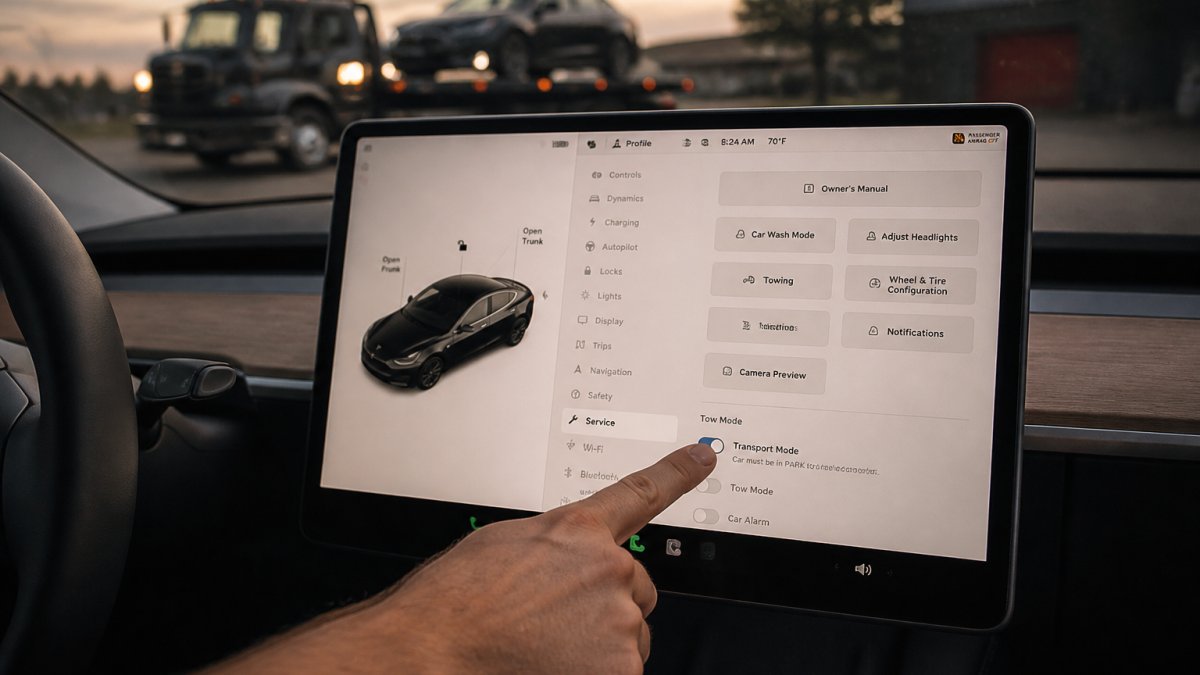
When you select Transport Mode, the system asks you to press and hold the brake pedal. This is a safety measure. The brake pedal press confirms you’re intentionally enabling this mode and aren’t accidentally triggering it.
Hold the brake pedal down firmly for several seconds. The touchscreen counts down or shows a progress indicator. Keep the pedal pressed until the system confirms that transport mode is active. You’ll see a notification on the screen confirming the mode is enabled.
Once transport mode activates, the parking brake releases automatically. The wheels unlock and the vehicle can now roll freely. This is the moment your Tesla is ready for flatbed loading.
Step 5: Secure Your Vehicle Before Loading
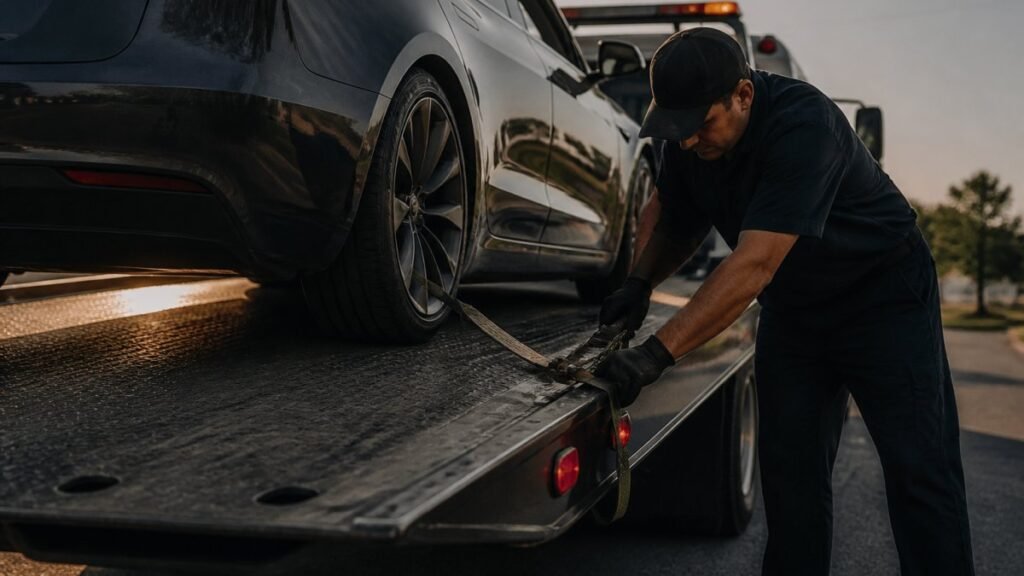
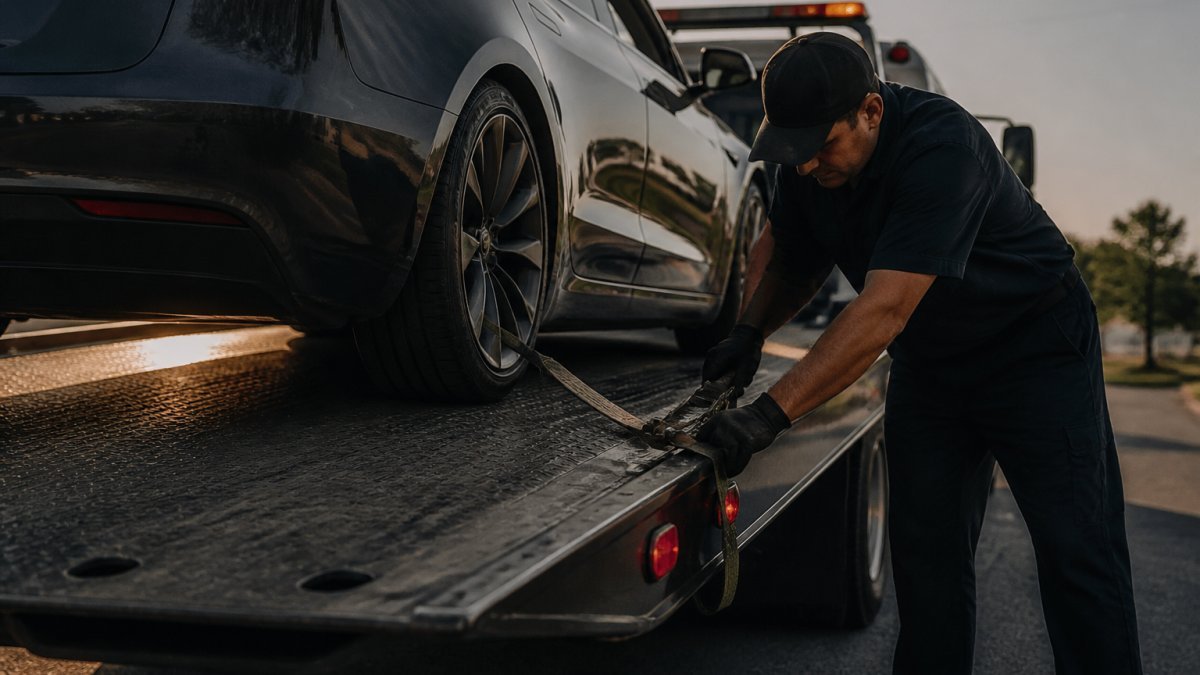
Now that transport mode is active, your Tesla will roll. Before the tow truck driver loads it onto the flatbed, secure the vehicle with wheel chocks (wedge-shaped blocks placed in front of and behind the wheels) or tire straps (ratchet straps securing the wheels to the flatbed).
Here’s what proper securement looks like:
- Place wheel chocks on both the front and rear wheels
- Use at least two straps per wheel, tightened evenly
- Check that the vehicle doesn’t shift when the flatbed tilts
- Ensure the steering wheel is straight before loading
- Verify all doors and windows are closed and locked
Neptune Towing uses damage-free towing equipment and proper securement procedures for every vehicle we transport. We understand that improper loading can cause serious damage and treat every vehicle with the care it deserves. Maintaining this level of precision remains essential regardless of the circumstances, which is why we apply these same rigorous standards when providing emergency towing services for drivers in need of immediate roadside assistance.
Once the vehicle is secured, the tow truck driver can safely transport your Tesla to the repair facility or destination. Transport mode keeps the drivetrain protected throughout the journey.
How to Get Tesla Out of Transport Mode and Common Issues
Getting your Tesla out of transport mode is straightforward. Once the vehicle is safely unloaded and parked, press the brake pedal and the system automatically exits transport mode and reengages the parking brake.
Common issues you might encounter and how to fix them:
Transport Mode won’t enable: Low or critical battery charge
Transport mode requires at least 5-10% battery. If your battery is below this threshold, plug it in to a standard outlet, Level 2 charger, or Supercharger for 15-30 minutes.
Transport Mode won’t enable: Unresponsive touchscreen or software glitch
If the Transport Mode button is grayed out or doesn’t respond, perform a soft restart by pressing and holding both scroll wheels for 10 seconds until the Tesla logo appears. Let the vehicle boot up fully and try navigating to Controls > Service > Towing again.
Vehicle rolls unexpectedly during loading or transport
Once transport mode is active, the vehicle will roll freely. If it shifts, lurches, or rolls faster than expected, the securement may be inadequate.
What to do: Stop the loading process immediately. Check that wheel chocks are wedged firmly in front of and behind all four wheels. Verify that tire straps are tight and evenly tensioned, ratchet straps should be snug but not over-tightened to the point of deforming the tire sidewall.
Touchscreen is unresponsive or frozen
A software glitch, low battery, or temporary system fault can freeze the touchscreen, preventing you from navigating to Transport Mode.
What to do: Perform a soft restart by pressing and holding both scroll wheels on the steering wheel for 10 seconds until the Tesla logo appears on the screen. Release and wait for the vehicle to boot up fully (about 30 seconds). Try accessing Controls again.
Transport Mode disables mid-transport
Transport mode should remain active throughout the loading and transport process. If it suddenly disables while the vehicle is on the flatbed, the vehicle may shift or roll unexpectedly.
What to do: This is rare but can happen if the vehicle is jostled hard or if the battery drops below the minimum threshold during transport. If you notice the vehicle shifting or if the tow truck driver reports that the vehicle moved, stop immediately and contact the towing service.
Battery is completely dead and won’t charge
If your Tesla’s battery is so depleted that it won’t accept a charge from any source, transport mode cannot be enabled.
What to do: This is a job for a professional towing service. Call Neptune Towing or another local tow truck operator experienced with electric vehicles. We can safely load your Tesla onto a flatbed.
When to stop troubleshooting and call for help:
If you’ve attempted the steps above and transport mode still won’t enable, or if the vehicle behaves unexpectedly during loading, do not force the issue. Improper towing of a Tesla can damage the drivetrain, battery management system, or frame, repairs for these issues often exceed several thousand dollars.
Why Tesla Tow Mode Matters for Safe Flatbed Transport
Transport mode exists because electric vehicles are fundamentally different from gas-powered cars. Teslas have regenerative braking systems that capture energy when wheels spin. Without transport mode, rolling the vehicle can damage the battery management system and drivetrain.
Traditional tow hooks don’t work on most Teslas. The vehicle’s frame and structure are designed differently than older cars. Improper towing can bend the frame, damage the battery pack, or disable critical safety systems.
Flatbed towing is the safest method for any Tesla. The vehicle sits securely on the bed without any wheels touching the ground. This eliminates the risk of drivetrain damage entirely.
When you call Neptune Towing for help with a disabled Tesla in the Tulsa area, we know exactly how to handle your vehicle. We use flatbed trucks designed for electric vehicles. We understand transport mode and why it matters. We don’t hook up your Tesla like it’s a pickup truck. We treat it like the advanced machine it is.
The cost of ignoring transport mode can be severe. Towing a Tesla without proper procedures can result in drivetrain failure, battery damage, or complete electrical system shutdown.
Using transport mode correctly takes five minutes. It protects your vehicle completely. It’s the difference between a safe transport and a catastrophic repair bill.
Frequently Asked Questions
What is the difference between Tesla transport mode and tow mode?
Transport mode and tow mode are the same thing on Tesla vehicles. When you enable transport mode through the Controls > Service > Towing menu, you’re activating tow mode, which locks the drivetrain and prepares the vehicle for flatbed towing. This prevents the wheels from rolling and protects the electric drivetrain from damage during transport. Always use this mode before a tow truck loads your Tesla onto a flatbed.
Do I need to put my Tesla in transport mode before towing?
Yes. Putting your Tesla in transport mode before towing is essential for protecting your vehicle’s drivetrain. Without transport mode enabled, the wheels can roll freely, and the drivetrain can be damaged during loading and unloading. Tesla’s transport mode instructions specifically recommend enabling this mode before any flatbed towing. It’s one of the most important steps to prevent costly damage.
How do I get my Tesla out of transport mode after towing?
To exit transport mode, press the brake pedal firmly after your Tesla is safely unloaded from the flatbed. The brake pedal press disables transport mode and restores normal drivetrain function. Once you’re off the flatbed and the vehicle is on the ground, a single brake press will deactivate the mode. If the vehicle is still on the flatbed, don’t press the brake until it’s completely unloaded and secure.
Can I enable transport mode without a key or while the vehicle is locked?
No. You need to be inside the Tesla with the key present to enable transport mode. You must access the touchscreen through the Controls menu, which requires the vehicle to be unlocked and the driver present. This is a safety feature to prevent unauthorized towing. If your Tesla is locked or the key is not available, you’ll need to unlock the vehicle first before you can enable transport mode for the tow truck.
When your Tesla breaks down on I-44 near Tulsa or anywhere in the surrounding communities, you need a towing service that understands electric vehicles. Neptune Towing has the flatbed equipment, the knowledge, and the commitment to damage-free towing that your Tesla deserves. We’re owner-operated, available 24/7, and ready to help. Call us when you need help.